Stop hunting through entry lists. Gravity Pipeline transforms your Gravity Forms data into a Kanban board — drag, assign, and close deals directly from your WordPress dashboard.
✓ Free forever core · ✓ No credit card for free plan · ✓ Cancel Pro anytime
From solo freelancers to large agencies — Gravity Pipeline scales with your workflow.
Everything you need to get started — no credit card required.
Unlock the full power of Gravity Pipeline for your team.
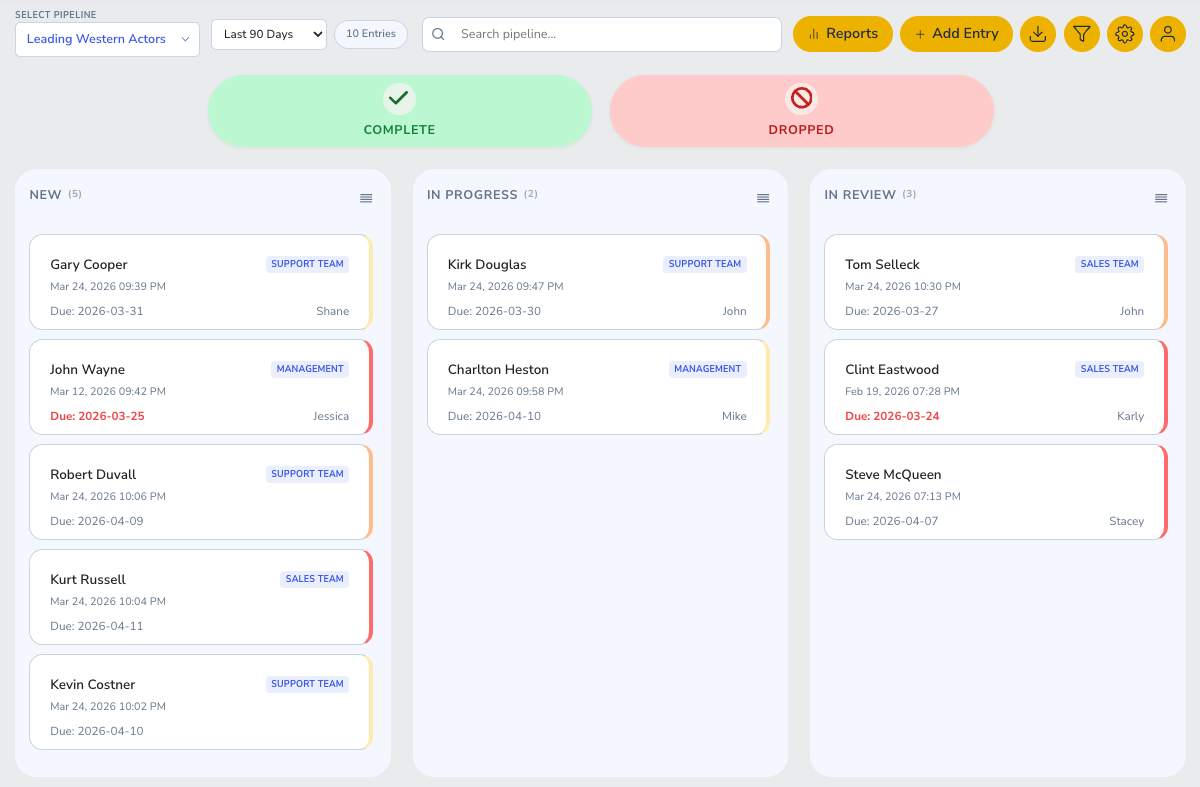
See all your Gravity Forms entries as drag-and-drop cards across customizable pipeline stages.
Move entries between stages with a single drag. Status updates fire automatically.
Managers see team pipelines. Users see only their own cards. Fully configurable.
Map any Gravity Forms field to pipeline card properties — title, status, assignee.
Trigger Gravity Forms notification emails when a card changes stage or gets assigned.
Create unlimited pipelines — one per form, department, or workflow. Each independently configured.
Start free. Upgrade when your team needs more. Cancel anytime.
Everything you need to get started.
Perfect for freelancers & solo WP sites.
For agencies managing multiple client sites.
Full-scale teams with large-volume pipelines.
All Pro plans billed via goat-getter.com. Stripe-secured checkout. 30-day money-back guarantee.
Step-by-step guides for both Free and Pro versions.
Download the free plugin from WordPress.org or GitHub and upload via Plugins → Add New → Upload Plugin. Activate it.
Go to Pipeline → Boards → Add New. Give it a name and select the Gravity Form it should pull from.
In the board settings, map your GF fields to pipeline properties: Title, Status column, Assignee.
Save the board. Go to Pipeline → View Boards to see your entries flowing as cards.
After purchase, go to Pipeline → License, enter your key from goat-getter.com/my-account, and click Activate.
Go to Pipeline → Settings → Access Control. Assign roles: Admin (full), Manager (team), User (own cards).
Create groups under Pipeline → Groups. Add users to groups and assign cards to entire teams at once.
In board settings, enable Notification Triggers. Map pipeline stage changes to Gravity Forms notifications.
Gravity Pipeline is just the beginning. A full suite of tools is on the way.
Beautiful analytics dashboards for your Gravity Forms pipelines — conversion rates, time-to-close, stage velocity.
Threaded comments, @mentions, and email notifications directly on pipeline cards.
Set rules to auto-assign, auto-move, and auto-notify based on field values and time triggers.
Start free today. Upgrade to Pro when you need team features.